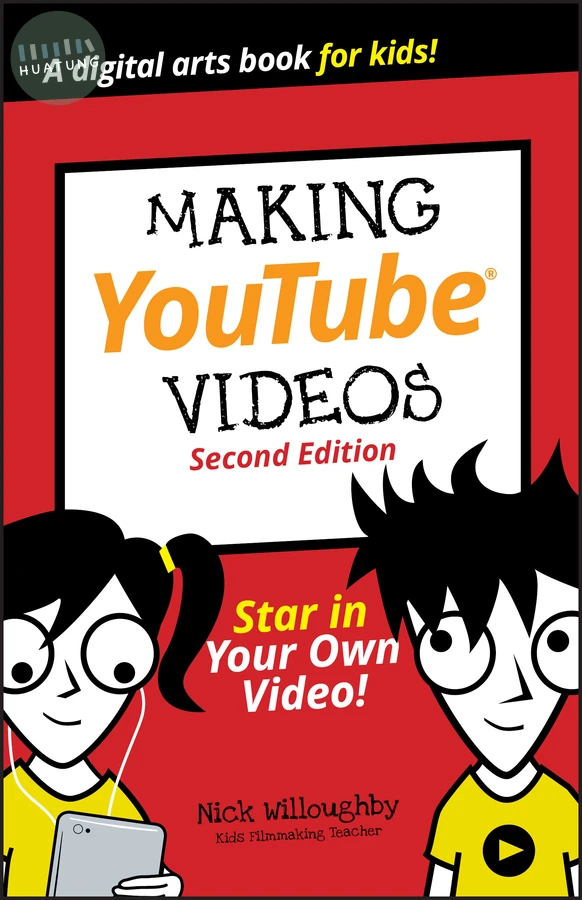

Making YouTube Videos
$288元 定價: $320 9折 可訂購
簡介
Everything kids need to create and star in their own video!
YouTube has won the hearts, minds, and eyes of kids around the globe. Young people everywhere are making their mark on this popular platform—some of them even gaining massive followings, worldwide recognition, and the paychecks that come along with it. While lots of youngsters are happy to be spectators, others are hungry to create and star in YouTube content of their own—and this book shows them how.
Written for kids in a language they can understand, this book helps budding filmmakers and producers create their own videos—no matter the subject. It offers creators the insight on how to plan and shoot quality videos, install and use video editing tools, and post the final product to YouTube.
Apply tricks that pro filmmakers use for better shots, lighting, and sound
Edit your video, add transitions, insert a soundtrack, and spice things up with effects
Shoot and share your video gaming exploits
Share finished videos with family, friends, and the world
For any kid interested in joining the YouTube revolution, this book is the perfect place to start!
目錄
Introduction 1
About YouTube 1
About This Book 1
About You 3
About the Icons 3
Project 1: Get Started 4
Follow the Video-Making Process 5
Development 5
Preproduction 6
Production 6
Post-production 7
Distribution 7
Gather Your Tools 8
Choose Your Camera 10
Webcams 12
Camera phones 13
Camcorders 15
Action cameras 17
Aerial cameras 18
DSLR and mirrorless video 18
Digital cinema cameras 20
Project 2: Shoot 22
Choose a Style 23
Think of an Idea 25
Structure Your Video 26
Script Your Video 28
Write Dialogue 29
Make a Shot List 30
Choose a Shot Type 32
Wide shot 33
Mid shot 34
Close-up 36
Choose Movement or Fixed 38
Record Sound 41
Built-in microphone 43
External microphone 44
Use a Microphone for Dialogue 47
Deal with wind 49
Monitor sound 50
Dubbing and foley 53
Light Your Video 54
Use natural light 54
Use extra lights 56
Direct Your Film 66
Direct your actors 68
Direct your crew 68
Use Shooting Tips 69
Check for continuity mistakes 69
Always get one more take than you need 70
Shoot out of order 70
Check Your Shots 70
Project 3: Edit 73
Choose an Editing Tool 73
Create a New Project in iMovie 76
Import Your Footage in iMovie 77
Record from Webcam in iMovie 80
Add Footage to a Timeline in iMovie 81
Add Transitions in iMovie 87
Add Jump Cuts in iMovie 89
Add Titles in iMovie 90
Record a Voiceover in iMovie 93
Import Your Footage into a New Filmora Project 96
Record from a Webcam in Filmora 98
Add Footage to a Timeline in Filmora 100
Add Transitions in Filmora 105
Add Jump Cuts in Filmora 107
Add Titles in Filmora 109
Record a Voiceover in Filmora 112
Project 4: Creating a Gameplay Video 115
Capturing Game Footage from a PS4 117
Capturing Game Footage from an XBox One 120
Capturing Game Footage from a PC or Macintosh 121
Importing Gameplay into HitFilm Express 124
Basic Editing in HitFilm Express 127
More Basic Editing in HitFilm Express 132
Adding a Voiceover to Your Gameplay Video 136
Recording and Editing a Voiceover for Your Gameplay Video 138
Adding a Voiceover to Your HitFilm Project 141
Exporting your HitFilm Project for YouTube 142
Project 5: Share 144
Get a Google Account 144
Upload a Video to YouTube 148
Share Your Video to YouTube with iMovie 152
Share Your Video to YouTube with Filmora 155
Titles, Thumbnails, and Testing 159
Titles 159
Thumbnails 160
Testing 162
Your YouTube Studio 162
The Dashboard 163
Videos 164
Analytics 165
Comments 169
How to Make Great Videos 171
A is for Attract their attention 171
B is for Be yourself 172
C is for connection 173
D is for direct them on what to do next 173
Ways to Attract More Views! 174
Glossary 177